Persons
The Persons page displays an overview of all active persons by default. To view inactive persons, the user should uncheck the Only active filter above the table.
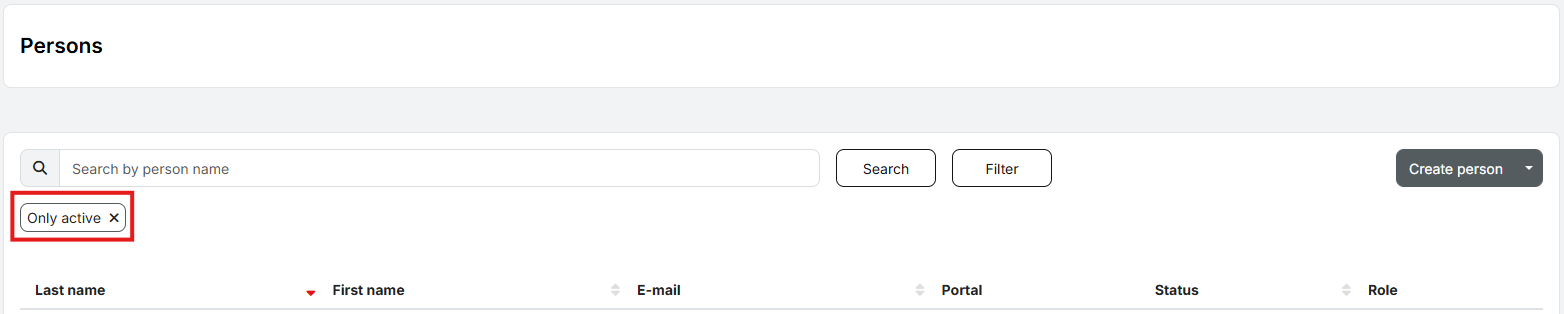
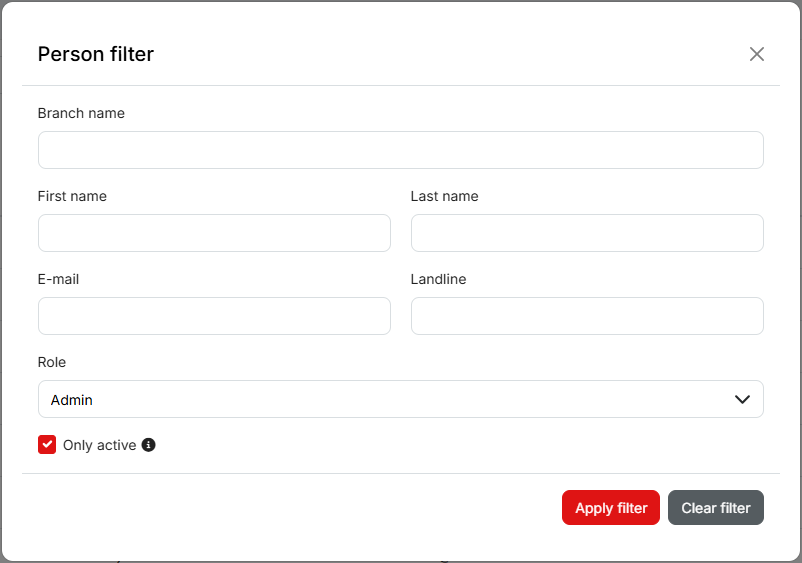
It is possible to quickly search for a person by typing their name into the search field. Using the Filter, persons can also be filtered by branch name, email, phone, or assigned roles.
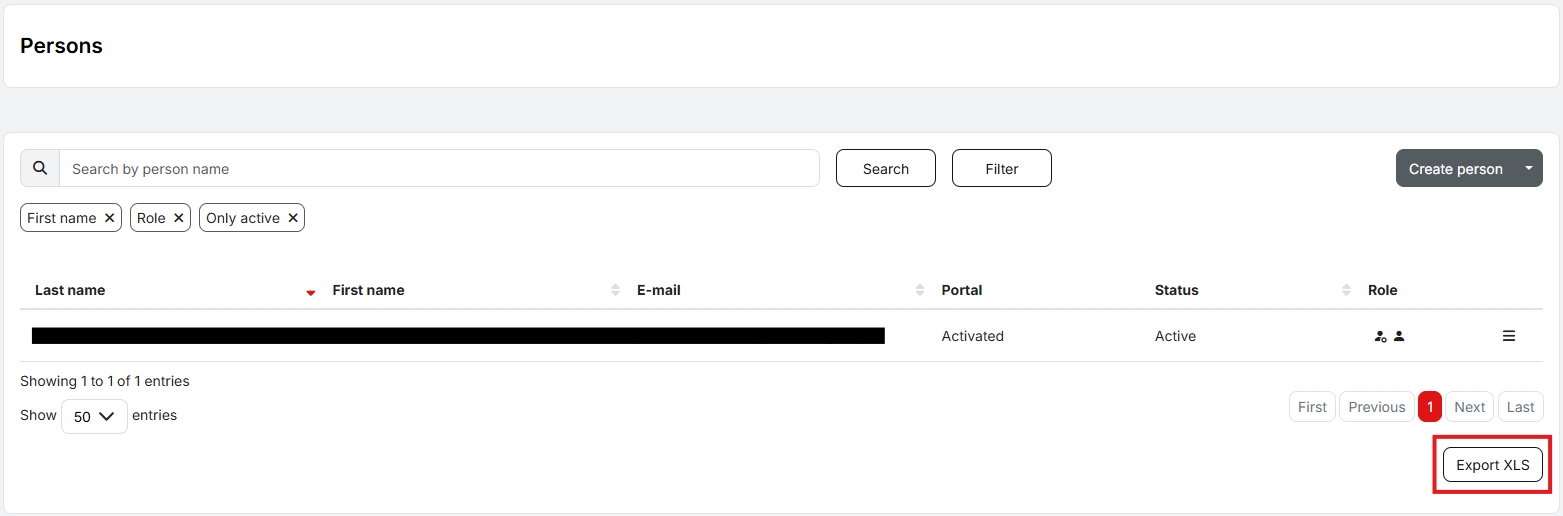
The overview of persons can be exported to XLS.
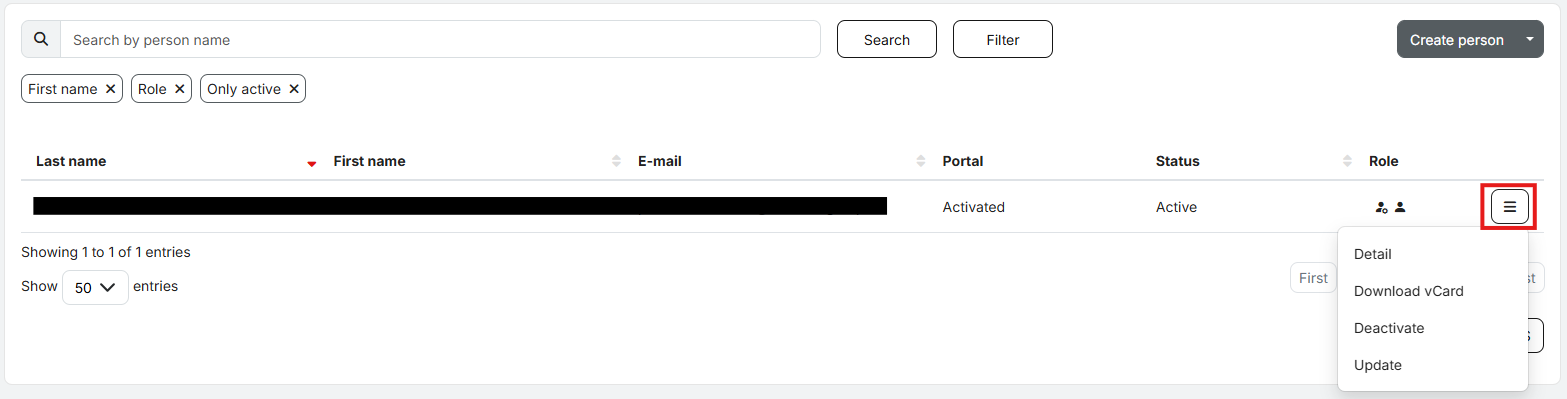
For a specific person, it is possible to view their details, download their vCard, deactivate the person, or update their information. Each action is selected from the menu in the right column for that person.
To create a new person, click the Create Person button in the upper right corner. A form will open to enter the person's information.
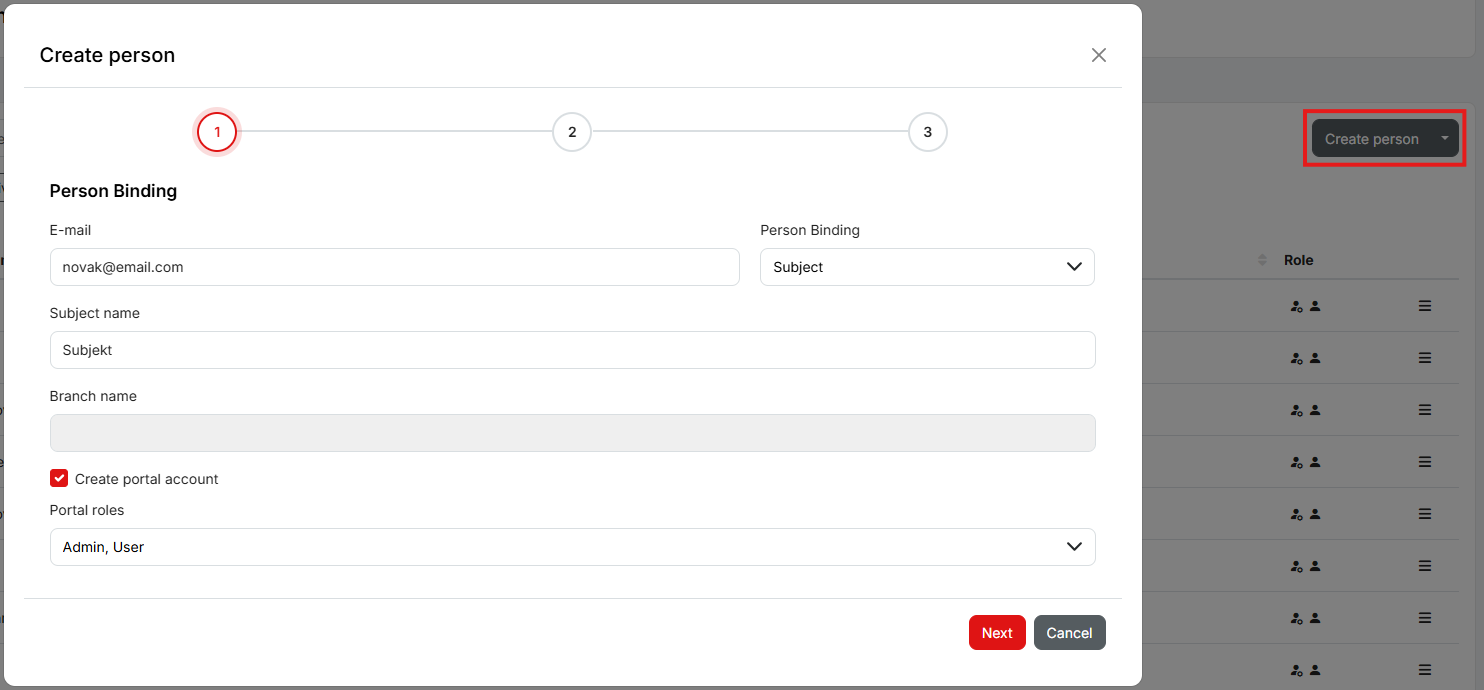
The email of the person must be entered, and the link to the entity or branch selected, defining which data the person will have access to, either the entire entity or specific branches. If the person should have access to the Merchant Portal, check Create Portal Account and select the roles assigned.
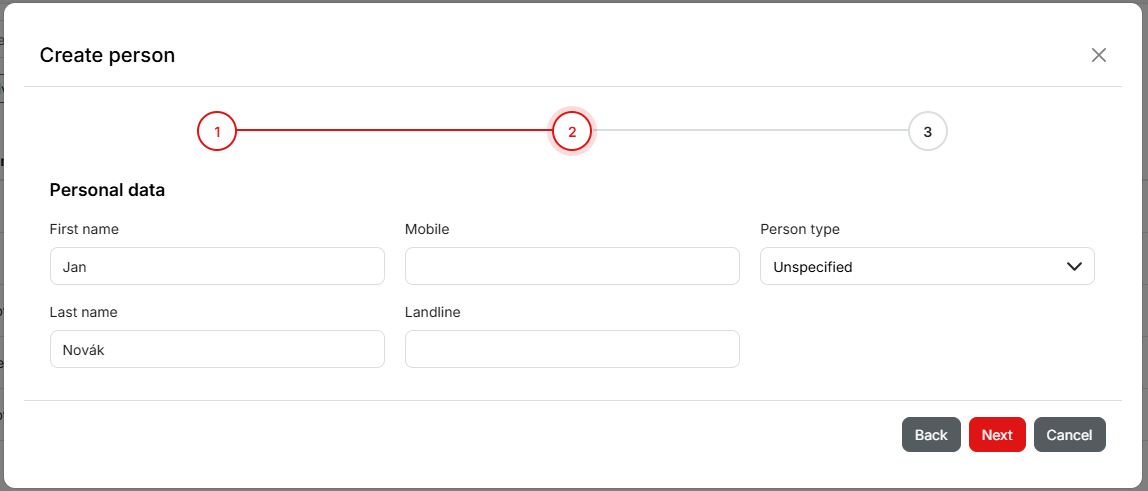
In the next step, personal information must be entered, at least First Name and Last Name.
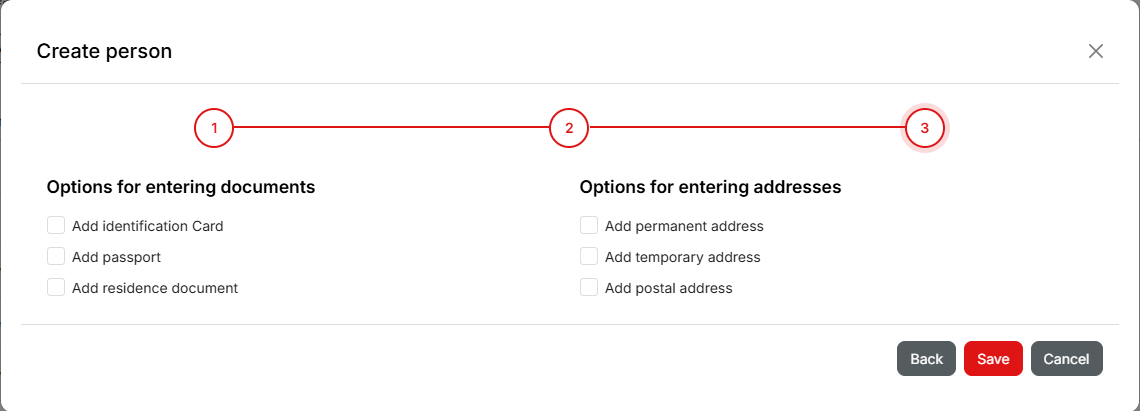
Finally, additional information can be added, or the person can be created directly by clicking the Save button.
If a person needs access to data from multiple subjects, it is sufficient to update the person record by entering the name of an additional subject in the Subject field and saving the changes. Once a user is assigned to more than one subject, a subject selector is displayed in the top-right corner of the individual screens, allowing them to switch between subjects. The user then sees only the data of the currently selected subject on the screen.