e-Receipt Settings
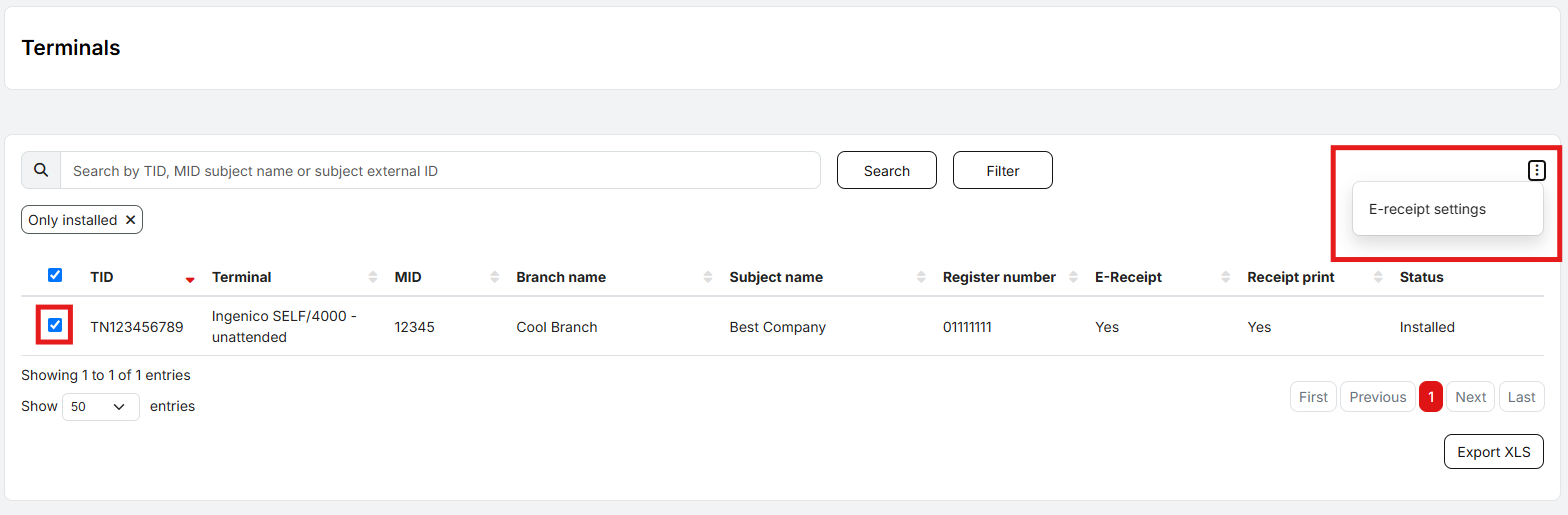
The setting for printing customer receipts are configured on the Terminals screen.
First, the user selects the terminal(s) for which they want to make changes by checking the corresponding boxes. Then they navigate to E-Receipt settings by opening the menu in the top-right corner.
Here, they select either Yes (the second receipt will be printed by the terminal) or No (the terminal will not print the second receipt).
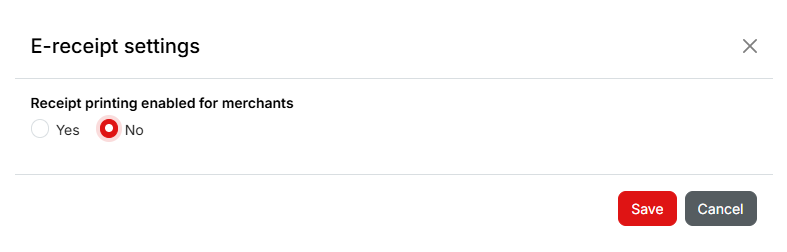
After clicking Save, the request to change the settings will begin processing. The change should take effect on the terminal within two business days, provided that a daily settlement is performed on the terminal.